

Logo

How can we help you?

Search our knowledge base to get answers to your questions, access video training & more!

Opt Out of Auto-BillPay

Recurring Billing

Opt Out of Auto-BillPay

Last updated on 24 Oct, 2025

You can now control the auto-billpay functionality on the account level.


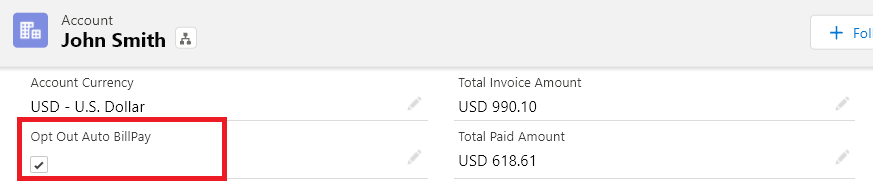
In the account record, look for the field Opt Out AutoBillPay and set the value to true. In doing so, automatic payments will be disabled for that account even if the Recurring Invoice is Auto-BillPay enabled. 
Availability: Spring '21 Release

Image


Did you find this article helpful?
Previous

Use Payment Profile on Recurring Invoice

Next