One of the main benefits of implementing dashboard and reporting systems within an organization is the improvement of overall efficiency. This applies to various areas including processes, operations, finance, and more.
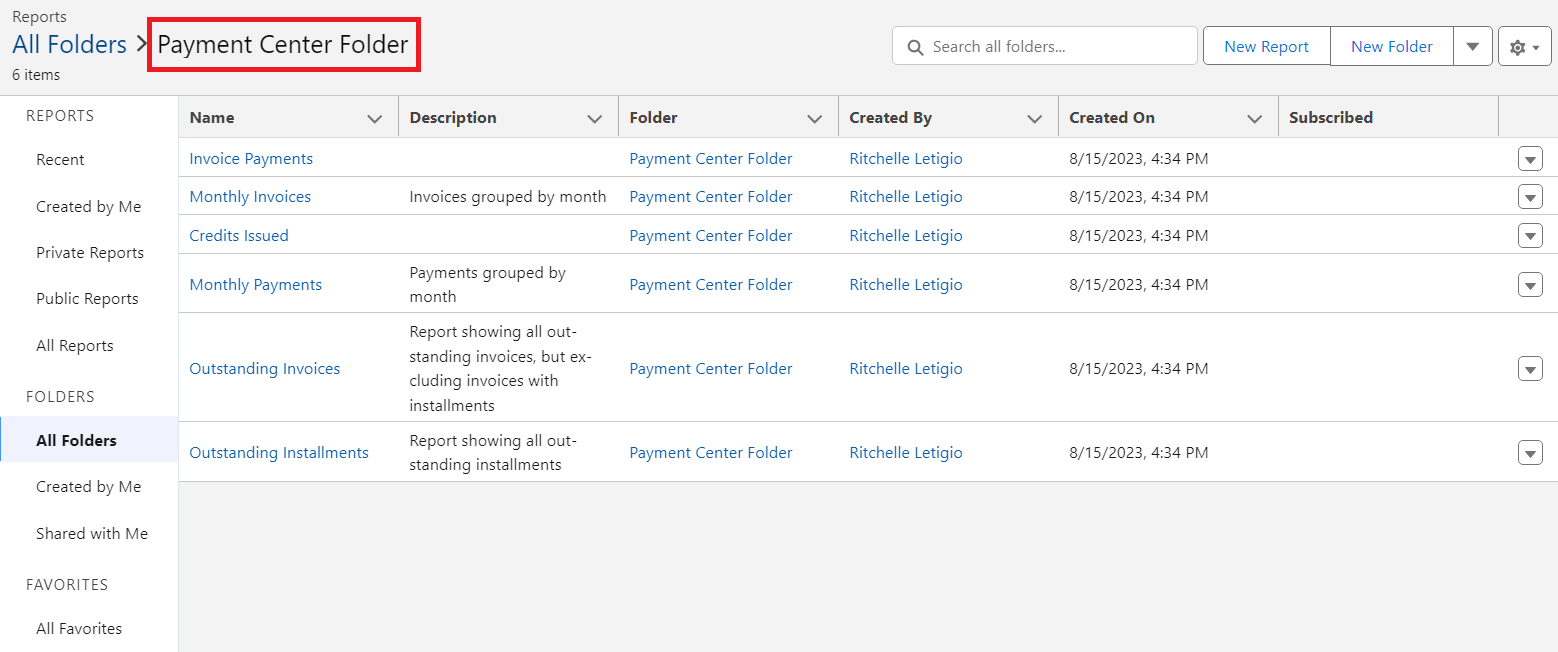
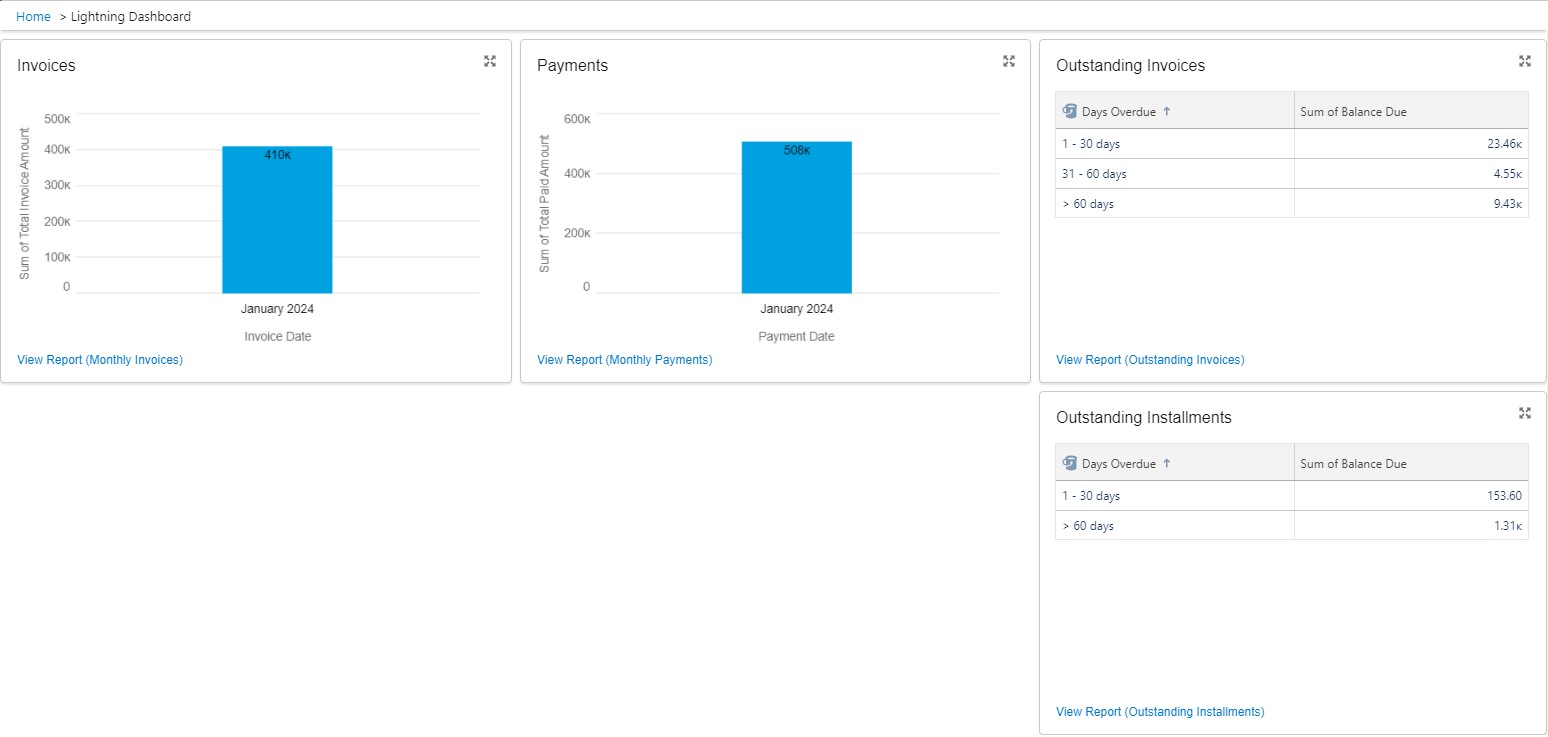
Kulturra comes with pre-defined dashboards and reports to help you analyze and manage Kulturra related transactions, thereby promoting increased efficiency.
Here is what the Dashboard looks like:
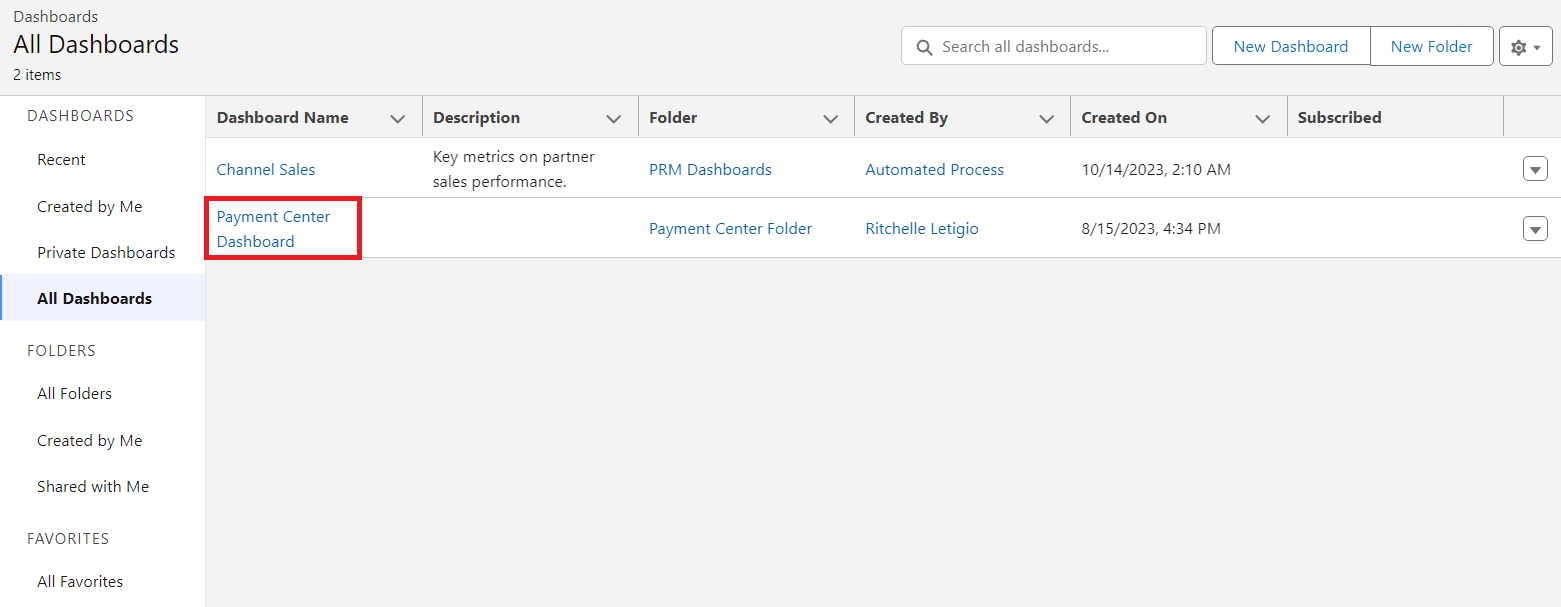
To access the Dashboard, click on the app launcher, type and select 'Dashboards'. Within the All Dashboards section, locate and click on the Payment Center Dashboard:
To access the reports, click on the app launcher, type and select 'Reports'. Within the All Folders section, locate and click on the Payment Center Folder: