

When adding a new CyberSource payment processor in Kulturra, users may encounter a "Connection Failed" error during the credential validation.
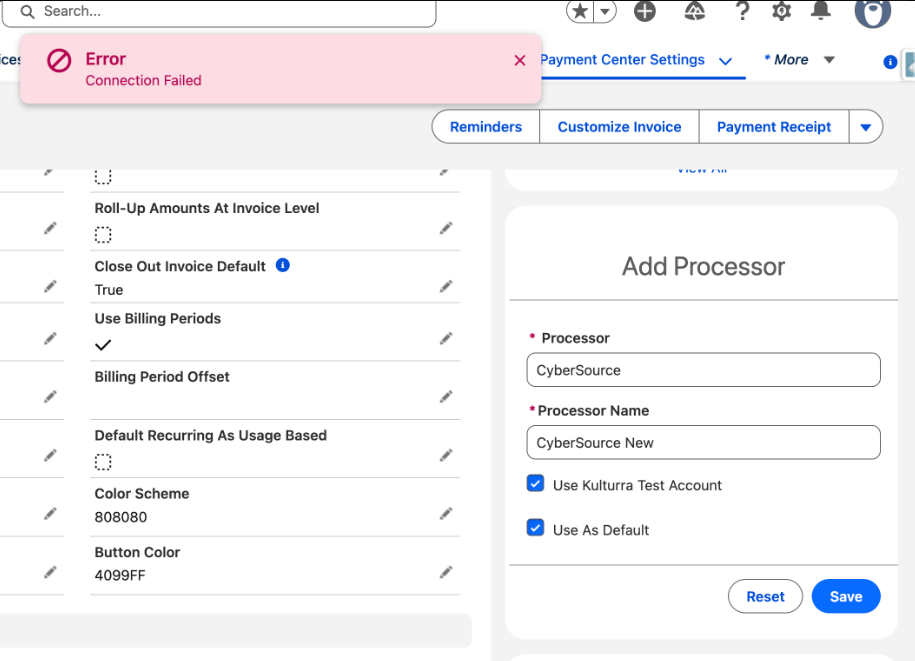
Root Cause
We identified the root cause as the CyberSource BIN Lookup Service API being called during the processor credential validation process.
In some environments, this API call could fail and cause the entire validation process to return a Connection Failed error, even though the CyberSource credentials themselves were valid.
Resolution
A fix has been implemented to remove the dependency on the CyberSource BIN Lookup Service API during credential verification.
Install the latest package version: Kulturra 14.27
Additional Update Included in Version 14.27
Version 14.27 also includes an update to the CyberSource Direct API integration for Payer Authentication.