

Overview
Part of the Settings UI. This can be used to reset the app's SDK storage values, which are used by the app to communicate with the platform's APIs, especially the monday.com GraphQL API. It will also remove the generated Kulturra boards. This is helpful for debugging and for setting up the app from the beginning again.
Important: Before resetting the app, export the data from the Kulturra boards (Transactions, Settings, and Payment Methods). You can import this data again after completing the application setup.
Steps
Open the Settings UI page and scroll to the bottom until you find the Reset App button.
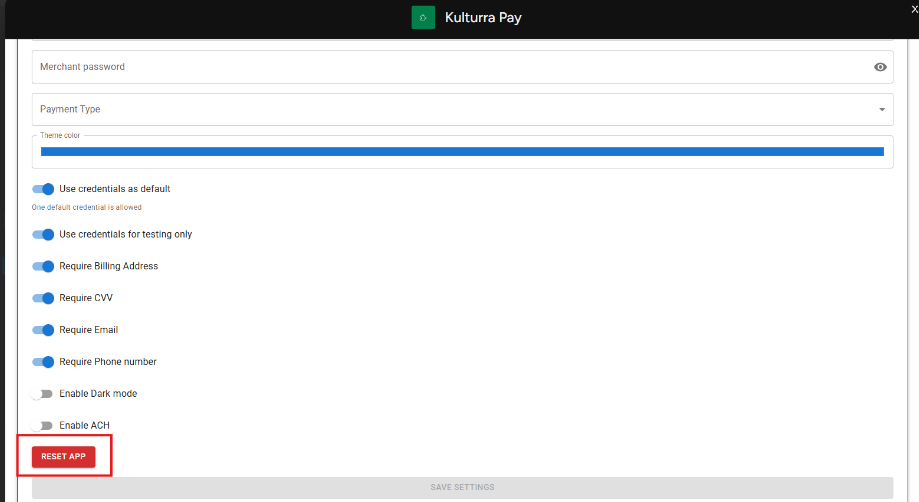
Click Reset App. A confirmation dialog will appear. Click Confirm to proceed with resetting the application.
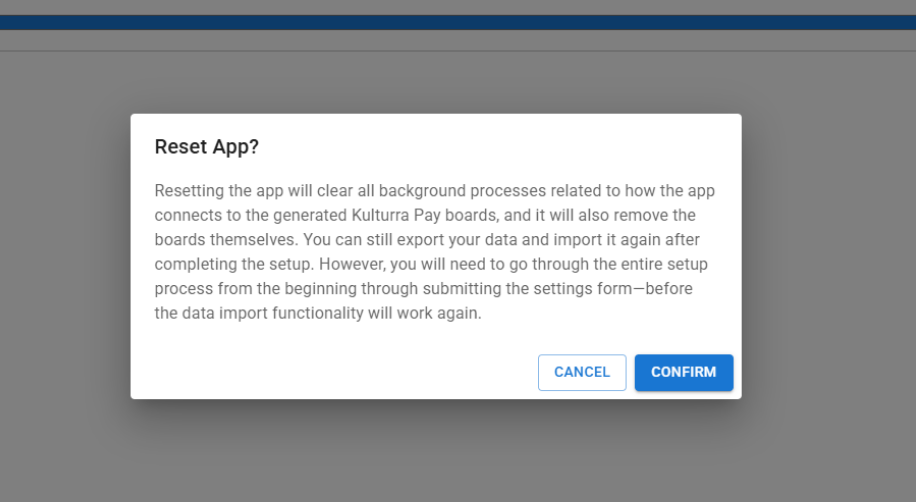
After the reset is complete, verify that Kulturra boards have been removed from your monday.com workspace.