

Logo

How can we help you?

Search our knowledge base to get answers to your questions, access video training & more!

How to Set Your Company Address

Setup

How to Set Your Company Address

Last updated on 24 Oct, 2025

Your company address appears in several documents such as the invoice and the payment receipt. So it’s quite important that your address is set. To do that, follow the steps below:


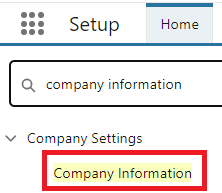
  1. Go to Setup | Company Settings | Company Information.
Image
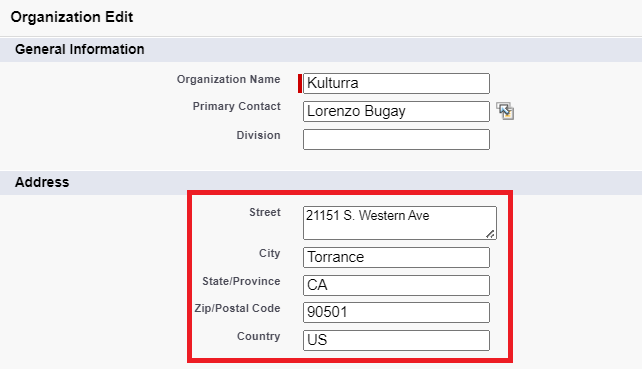
  1. Click Edit.

  2. Enter your address in the Address field.
Image


Did you find this article helpful?
Previous

Displaying Payment Profiles by Contact

Next