

Kulturra allows you to securely process credit card payments directly within your monday.com workspace. Before you begin using the application, you'll first need to install it in your monday.com account and verify that it has been added successfully.
This guide walks you through the installation process and explains how to access the application for the first time.
Prerequisites
Before installing the application, make sure you have the following:
An active monday.com account with access to your workspace.
Permission to install applications in your monday.com account.
Developer Mode enabled in monday.com
Developer Mode makes it easier to retrieve the Workspace ID, Board ID, and Column IDs that are required later during the application setup.
Note
If you haven't enabled Developer Mode yet, please follow the monday.com guide before proceeding.
Important Information
Before installing the application, please note the following:
Kulturra is currently available through a shared installation link.
The app can only be installed via sharing of apps. For now, it's not yet available in the Market Place.
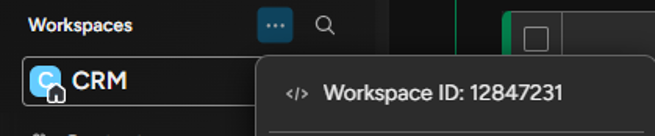
After enabling Developer Mode, you can retrieve the required Workspace, Board, and Column IDs by clicking the three-dot (•••) menu beside the corresponding Workspace, Board, or Column.
Example: Workspace ID
Example: Board ID

Example: Column ID

Installation
Follow these steps to install the application in your monday.com account.
1. Install the Application
Open the following installation link in your browser:
Follow the prompts to authorize and install the application in your monday.com account.
2. Verify the Installation
After the installation is complete:
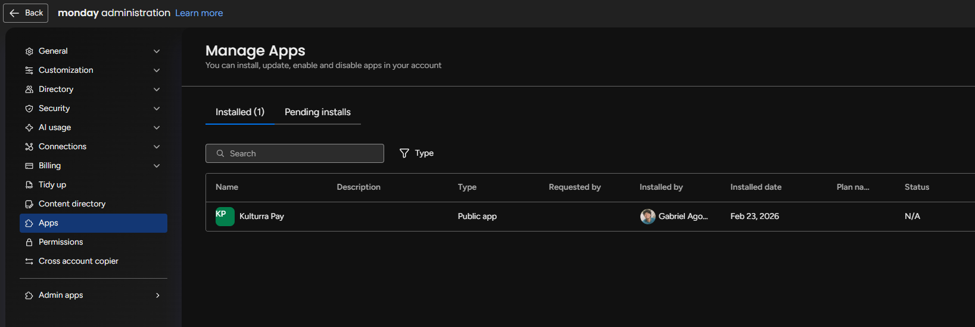
a. Open your Administration Dashboard.
b. Verify that the Kulturra application appears in the list of installed apps.
3. Open the Application from a Board Item
Once the application has been installed:
a. Open any item within your monday.com board.
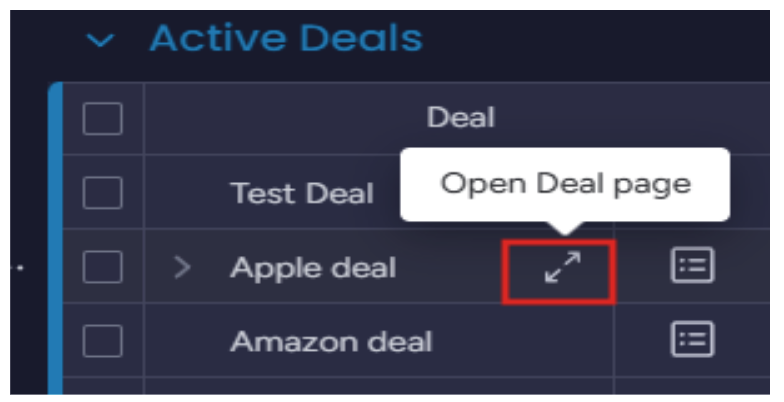
b. Click the + icon located on the far right of the board tabs.
c. Select Explore More Views.
d. Click Installed Apps.
e. Verify that Kulturra is available.
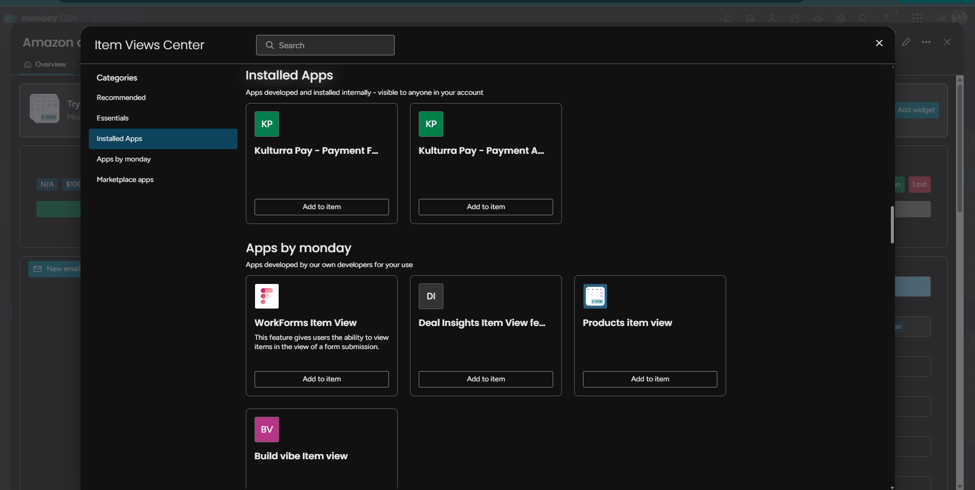
If the application appears in the list, the installation was successful and you're ready to proceed with the initial application setup.