

Kulturra has been enhanced to make payment transactions more secure. The updates add new verification and consent requirements to ensure the payer's information, authorization, and acceptance are properly captured during in-person payments.
The enhancements apply across payment scenarios and include photo ID verification, electronic signature capture, and Terms & Conditions acceptance. Together, these features provide a more secure and consistent payment process while creating a clear record of the payer's authorization.
Photo ID verification
For in-person payments, Kulturra now supports photo ID verification when the person making the payment is not the contact listed on the account.
To enable this feature, go to Payment Center Settings tab and check the Require ID Verification checkbox.
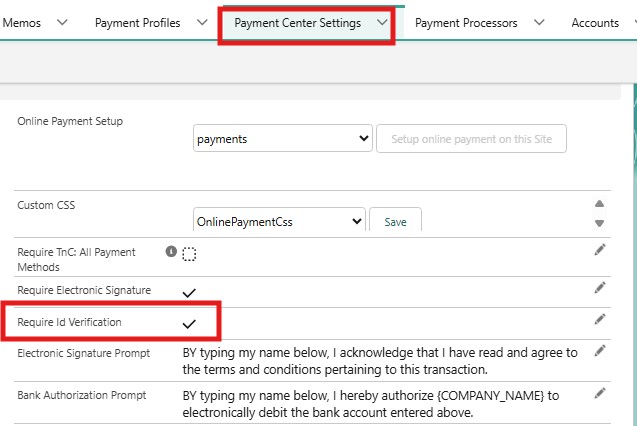
To process a payment with ID verification:
Open an invoice and click the Pay Invoice button
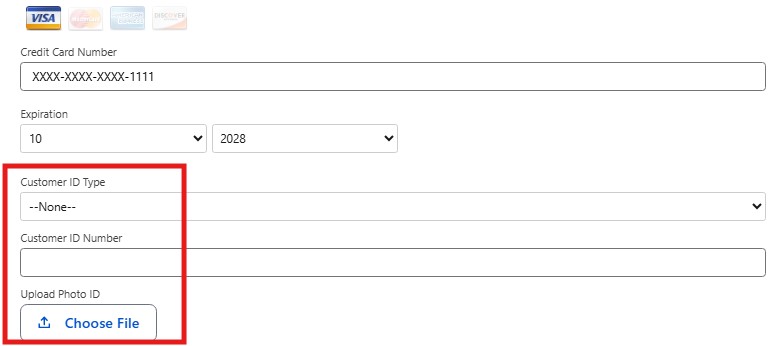
If the Invoice Contact and Credit Card Name are different, the Customer ID Type and Customer ID Number fields are required, along with Upload Photo ID, where a valid photo of the customer’s government-issued ID must be uploaded.
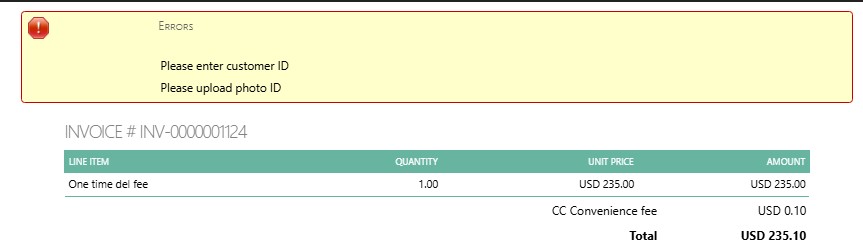
If these fields are not completed, a validation message will appear, and the payment cannot be completed until the required information is provided.
The uploaded ID file will be saved as an attachment to the payment record, allowing it to be viewed and managed as part of the payment documentation.

Note: If the contact is not available, the Customer ID fields are required (e.g., when using the Pay Invoices button from the Account record page).
Electronic signature capture
Staff can also capture an electronic signature on the receipt, providing a digital record of the payment authorization.
When processing an in-person payment, the payer can review and sign the receipt electronically. The signature is captured as part of the payment transaction, creating a digital record that the payer has authorized the payment.
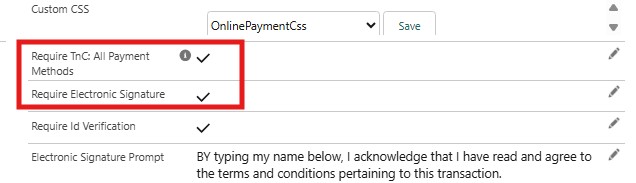
To enable this feature, go to the Payment Center Settings tab and check the Require TnC: All Payment Methods checkbox.
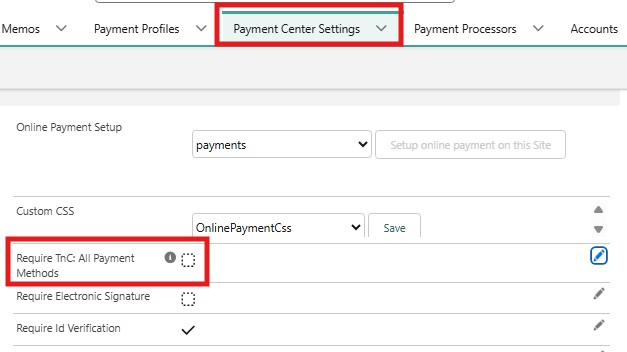
When Require TnC: All Payment Methods is enabled:
The Require Electronic Signature checkbox will be automatically selected.
Enter entire text (enforce to scroll through) under Terms and Conditions in Payment Center Settings will also be automatically selected.
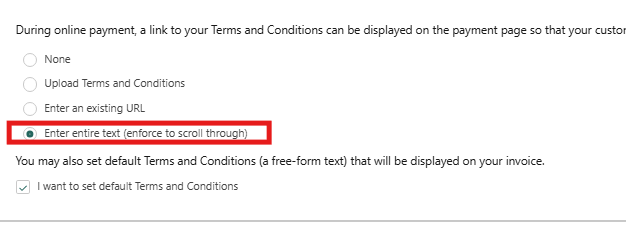
Users will be required to scroll through the Terms & Conditions and electronically sign them as proof of acceptance. If the required fields are not completed, a validation message will be displayed, and the payment cannot be completed until all required information has been provided.

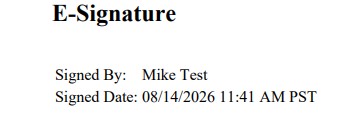
An Electronic Signature PDF will be attached to the payment record and will include the e-signature section as proof of acceptance.

Terms & Conditions acceptance
In addition, the Require TnC: All Payment Methods setting allows Terms & Conditions acceptance to be required across all payment methods. Once enabled, the requirement applies regardless of how the payment is initiated, including through a Payment Link on an Invoice PDF, an online payment, the Pay Invoice button, or a custom Pay Now button in Salesforce used by an internal Salesforce user. Payers must accept the applicable Terms & Conditions before completing the payment.
Note: If only the Require Electronic Signature checkbox is enabled, the electronic signature requirement applies only to online payments made through the Payment Link on an Invoice PDF. It does not require an electronic signature when a payment is processed inside Salesforce using the Pay Invoice button or a custom Pay Now button. This is the existing behavior of the Require Electronic Signature setting.
Limitations
Due to some UI limitations, ID verification is always required for the following processors:
Cybersource Hosted Component
Fortis
Stripe (Plaid)
Commerce Hub
Availability: Spring '26