

A Payment Profile acts as a virtual repository for payment information, enabling swift transactions without the need to repeatedly enter sensitive data. To establish a payment profile successfully using Stripe data, a few key steps need to be followed:
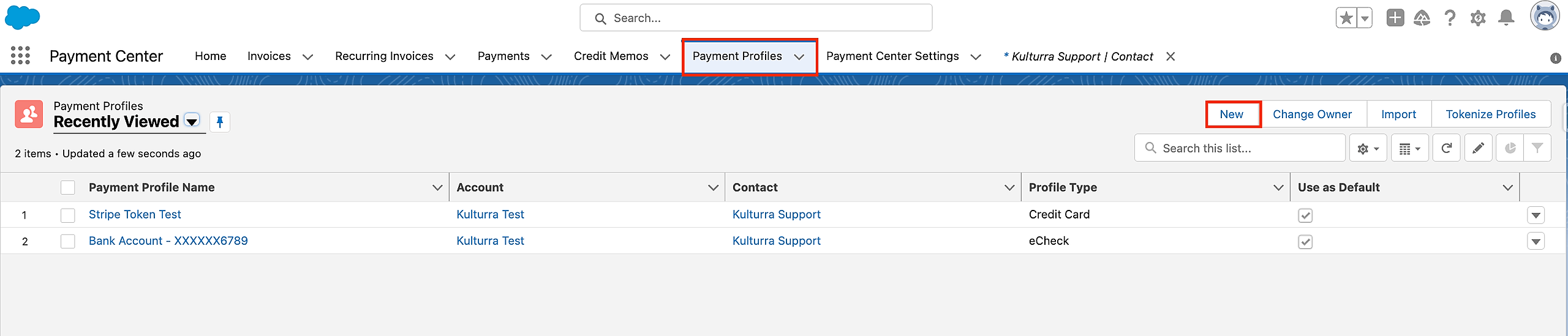
Access the Payment Profile Object and select the "New" button to initiate the creation of a new payment profile.
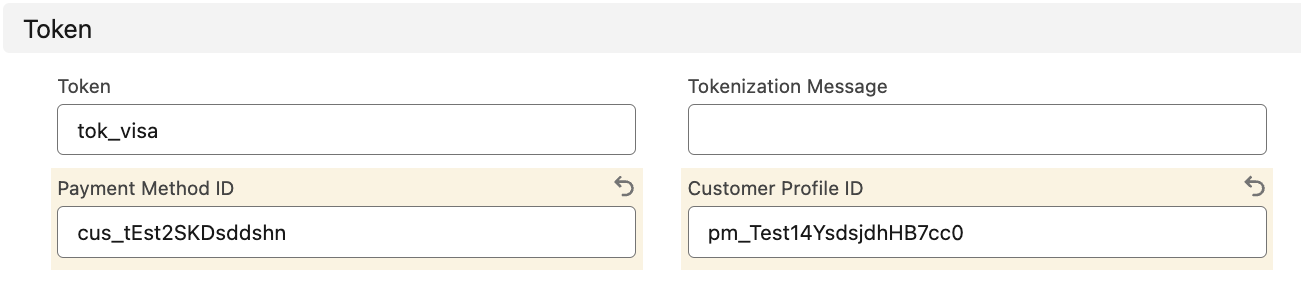
Populate Token, Customer ID, and Payment Method ID:
Tokens are unique codes generated by Stripe to represent payment information securely. To initiate the creation of a payment profile, ensure that the Token provided by Stripe is populated. This token serves as a secure reference to the payment details, preventing exposure of sensitive information.Additionally, the Customer ID and Payment Method ID are vital components that link the payment profile to the specific customer and their chosen payment method. These identifiers facilitate accurate and efficient transaction processing.
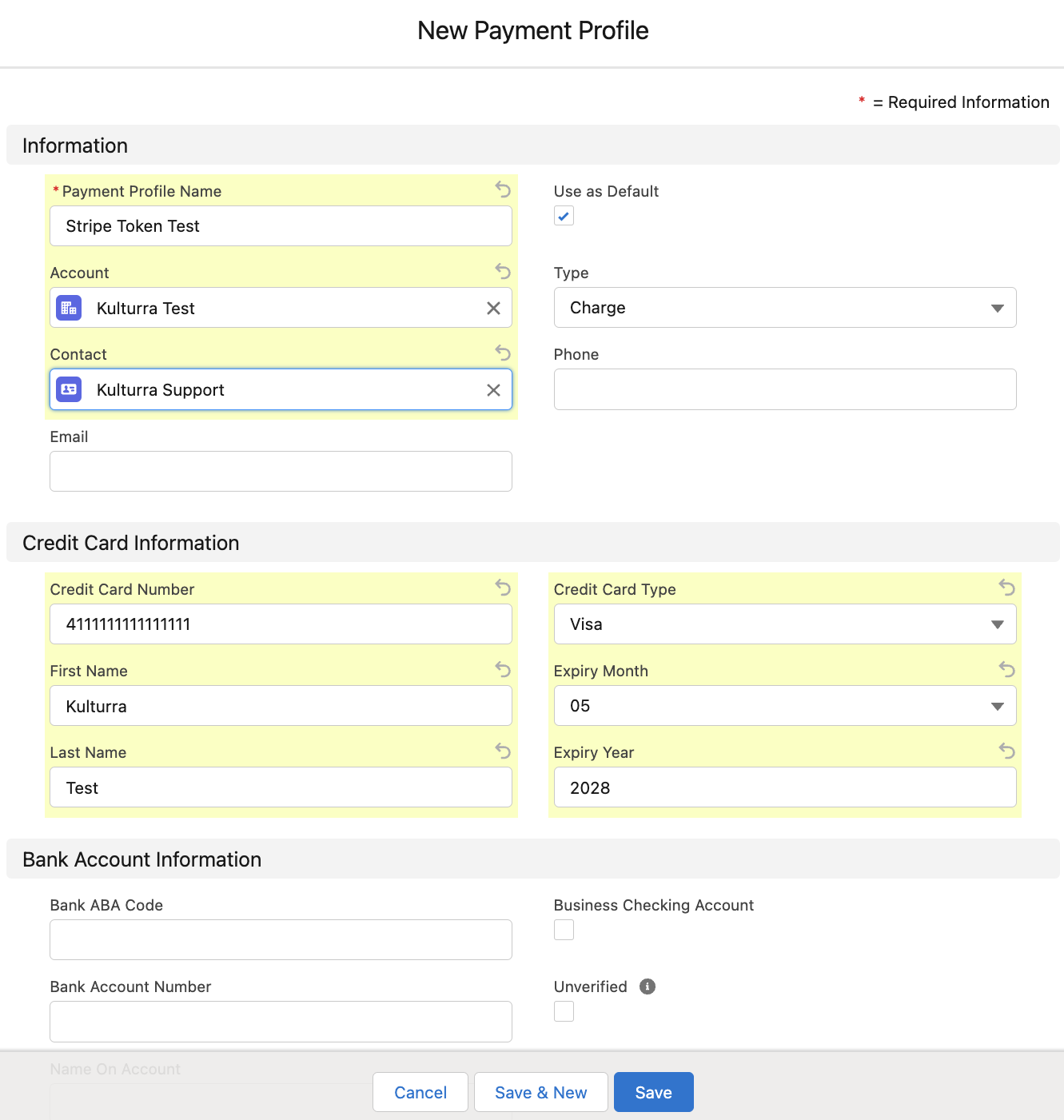
Provide Credit Card Information:
While creating a payment profile, it is essential to fill out the relevant Credit Card information. This step helps establish the payment method and ensures a seamless transaction flow.Define Profile Type:
One of the significant features of a payment profile is its Profile Type. This categorization allows businesses to manage different types of payment methods efficiently.
NOTE: Kindly verify the activation of tokenization within your organization. When activated, payments will utilize the payment profile as the form of payment, eliminating the need for manual entry of credit card information on the payment page. For additional details, refer to: Tokenization.