Logo

How can we help you?

Search our knowledge base to get answers to your questions, access video training & more!

How to Void transaction for monday.com

monday.com

How to Void transaction for monday.com

Last updated on 01 Jul, 2026

To void a transaction:

  1. Open the Kulturra: Transactions board.

  2. Select the transaction you want to void.

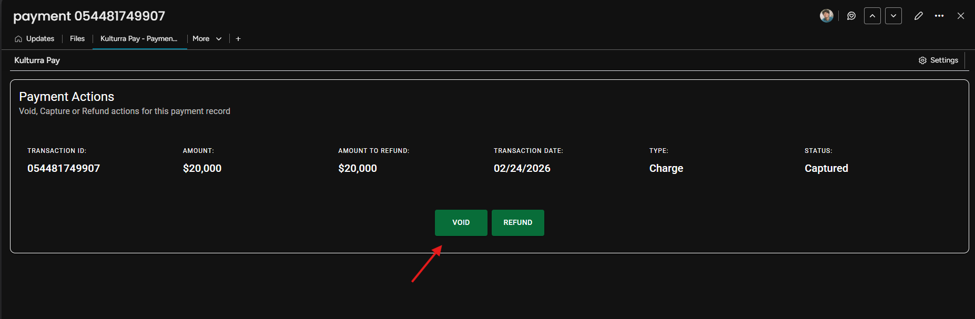
  3. Open the Kulturra – Payment Actions view.

  4. Click the VOID button.

image.png
  1. Review the transaction details then click Void to proceed with voiding the transaction.
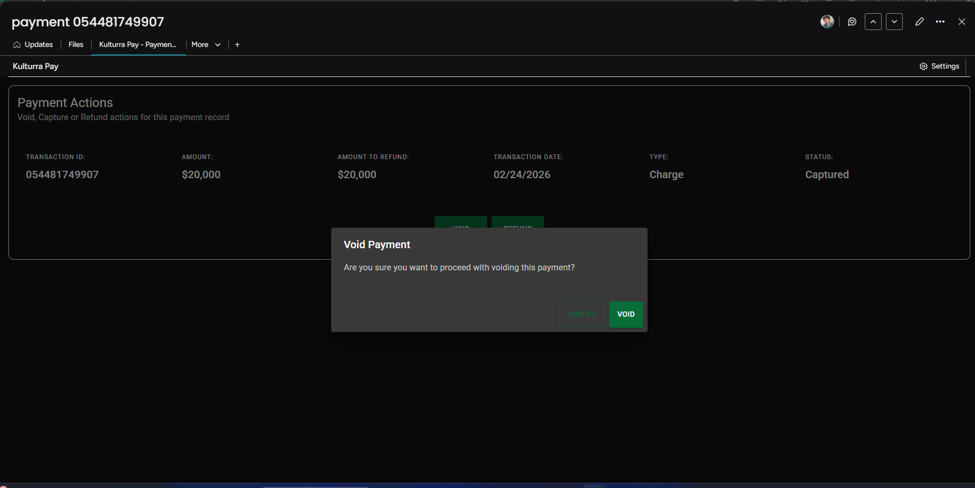
image.png
  1. Verify that the transaction status has been updated accordingly.
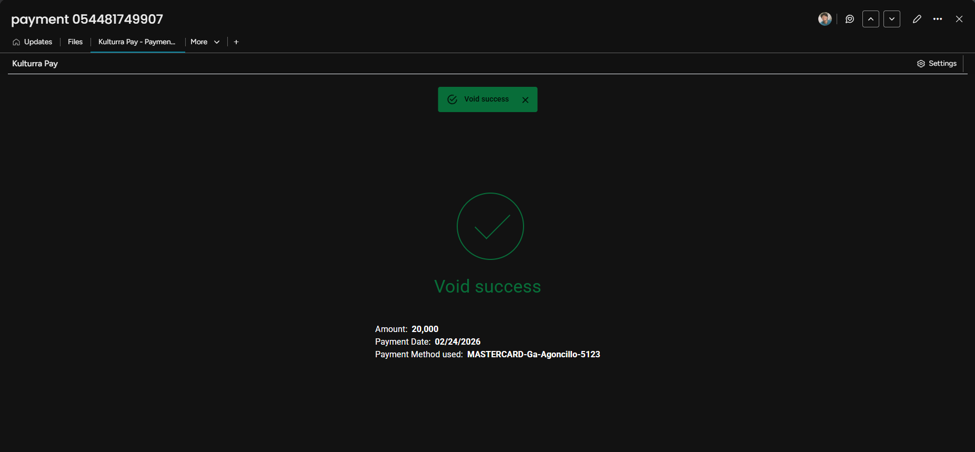
image.png

Did you find this article helpful?
Previous

How to Capture transaction for monday.com

Next