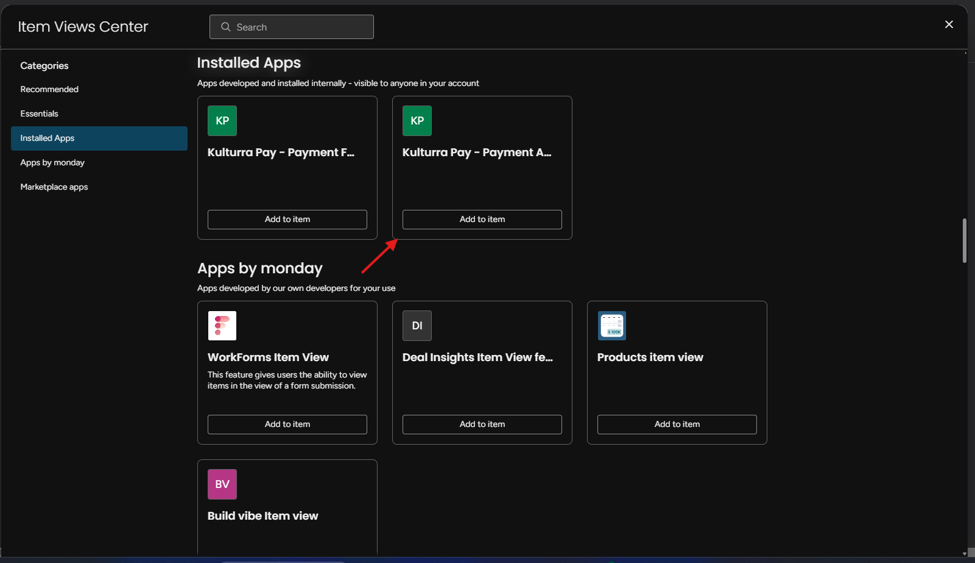
The Payment Actions view allows you to perform additional actions on processed transactions directly from the Kulturra: Transactions board. Once installed, you can manage supported payment actions such as Void, Capture, and Refund without leaving monday.com.
This guide walks you through adding the Kulturra – Payment Actions view to your Transactions board.
Add the Payment Actions View
Follow these steps to install the Payment Actions view:
Open the Kulturra: Transactions board.
Select any transaction item.
Click the + icon located on the far right of the board tabs.
Select Explore More Views.
Click Installed Apps.
Locate and select Kulturra – Payment Actions for Transactions Board Item.